Local Weather
See today’s local weather, temperature, and date on the app home screen. Location permission supports local weather information.
Care Community helps older adults living at home check in every day. If you still have not checked in after three reminders, an SMS notification is sent to your emergency contact through your connected SMS service.
It also includes medication reminders, family doctor appointments and reminders, food delivery and taxi or ride-booking service links, games, a shortcut to call 911, and three built-in music choices.
A simple “I’m fine” each day brings peace of mind to those who care about you.
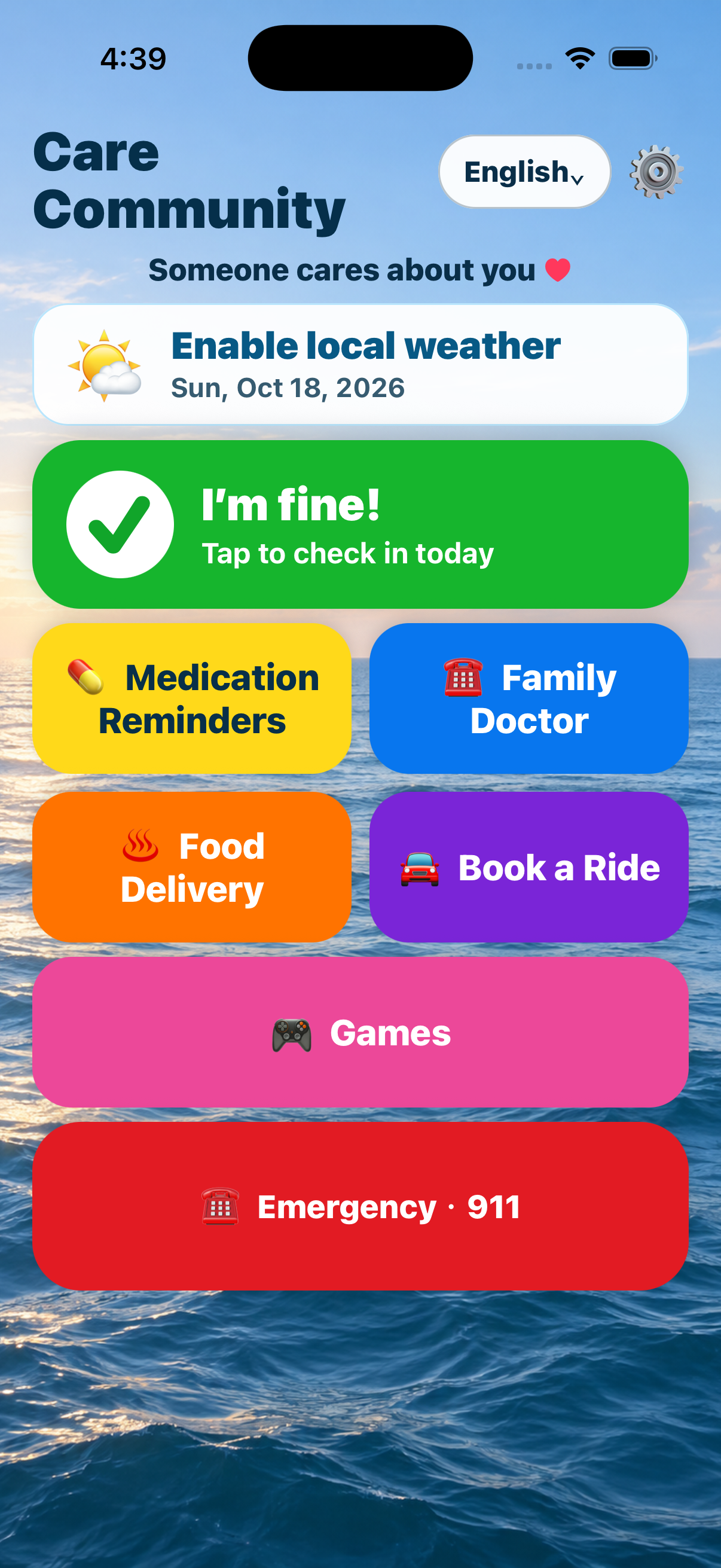
See today’s local weather, temperature, and date on the app home screen. Location permission supports local weather information.
Check in every day at your chosen time. If you have not checked in after three reminders, the app sends an SMS notification to your designated emergency contact through your configured SMS service. Set up and connect the SMS service first, and provide a valid emergency contact number. Provider charges may apply; delivery depends on the provider and mobile network and is not guaranteed. This is not an emergency-monitoring service.
Organize reminders for multiple medications. Allow notifications, select a future time, and use the 30-second notification test to check your phone. Reopen the app daily to replenish scheduled reminders; keep another reminder method for important medication.
Keep your family doctor’s contact details, record the date and time of your appointment, and set a reminder before it. Use the call shortcut to contact the doctor’s office to arrange or confirm an appointment.
Open external food delivery services to order a meal. Orders, availability and charges are handled by the chosen provider.
Open external taxi or ride-booking services to arrange transportation. Bookings and charges are handled by the chosen provider.
Choose Gentle piano, Soft chimes or Quiet harmony in Settings. Music pauses when you leave the app.
Open Games from the home screen for built-in leisure activities.
Access a shortcut to call 911 in the United States. In an emergency, contact emergency services directly.
Keep your personal details and emergency contact information organized.
The app supports English, Chinese, Japanese, and Spanish. This website is in English.
Care Community is being prepared for release. It does not provide medical diagnosis, treatment, or a monitored emergency response service. Reminders depend on device settings and permissions. Third-party SMS requires setup and may incur charges paid by the user; delivery is not guaranteed.
Questions, feedback, or a problem with the app? Contact us:
Email supportcarecommunityapp.support@gmail.com
Include your device model, app version, and a description of the issue. Please do not send passwords, payment details, or unnecessary medical information.
For questions about your information or account deletion, use the same support address. This inbox is not an emergency service.
The current version does not provide public community chat. It supports account and profile details, check-ins, medication and appointment reminders, optional weather, and profile or background photo selection.
It does not request camera or microphone access. Weather uses optional location permission; reminders require notification permission. You can manage permissions in your device settings.
For the complete data practices, service providers, retention and account deletion process, read the current privacy policy. Historical data from older versions remains subject to that policy.
To delete an account, sign in and open Settings → Delete account. If you cannot sign in, contact carecommunityapp.support@gmail.com.